
Sevier Arrests in 24 Hours
Start with the Sheriff's ISOMS last-24-hours view. It is the county's true same-day source. The page runs a rolling query. It is not a midnight-to-midnight list or a permanent dated archive. Entries appear under "Current Inmates" and "Last 24 Hours" headings. Page depth shifts as events enter and leave the window. The feed also tracks release activity. A person with a filled release date can still appear. The event sits inside the window. A blank release field cuts both ways: no date entered yet, or custody still ongoing.
A brand-new arrest can lag while intake, fingerprints, booking photos, property logging, and data entry finish.
The official same-day screen shows its heading and agency-attributed entries.
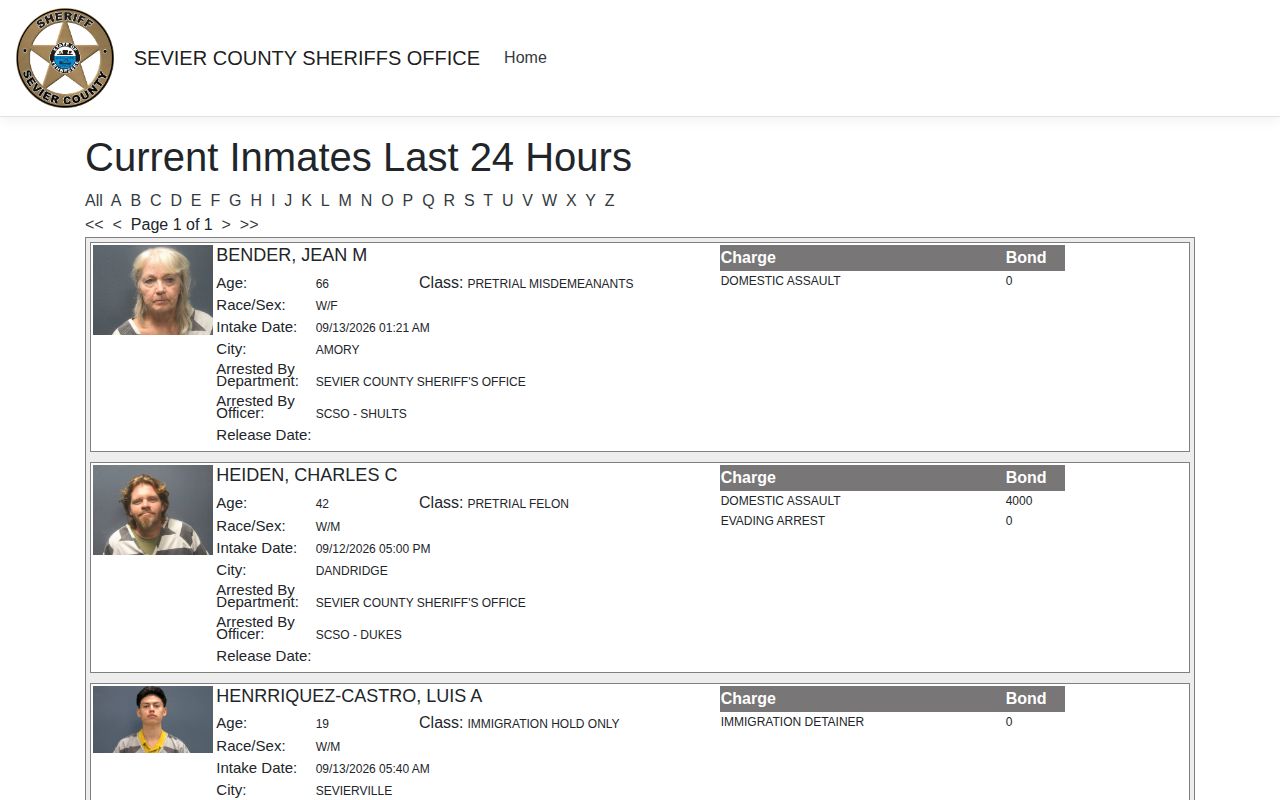
The official page shows the interface, not a fixed count.
Check Sevier Arrests Today
Go to the county feed first. Skip news posts and mugshot aggregators. The direct route avoids stale copies and keeps each entry tied to its arresting department. That link matters, because the county jail books people arrested by city police, the Sheriff's Office, and other agencies.
- Open the official 24-hour intake and release view.
- Review intake time, name, age, city field, and arresting department.
- Compare charge and bond exactly as booked, without treating either as a conviction.
- Use the current Sheriff roster to learn whether the person remains visible in custody.
- If a known event is missing, refresh later and call 865-453-4668 for the current records route.
For the full picture, use the county arrest hub. It covers the roster, booking photos, warrants, courts, and records requests. An empty name search proves nothing; processing, release, a spelling gap, or another custody destination can all explain it.
Sevier Same-Day Arrest Fields
ISOMS is built around events, not people. The fields in the live view describe what the jail received and entered at intake, so they never replace the city incident report or the court file.
| Field | What it means |
|---|---|
| Name, age, class, race/sex | Identity details recorded in the booking interface |
| Intake date and time | When jail intake was recorded, not necessarily arrest time |
| City | A feed location field, not proof of residence or offense site |
| Arresting department and officer | Agency information supplied with the booking |
| Charge | Accusation as entered at booking |
| Bond | Amount or hold language displayed at that time |
| Release date | Release event when populated, not disposition |
| Photo | Intake image, not evidence of the charge |
Common names need extra care. Compare several fields, and use an inmate identifier from the roster when one exists. Never settle identity from the photo alone. The official system displays those photos in context, not for copying into a gallery.
Why Today's Arrest May Lag
No refresh schedule exists. The county posts no last-updated clock and promises no maximum delay. Intake timestamps appear in the feed, yet the gap between street arrest, jail arrival, finished intake, and web publication stays hidden. Any claim that each arrest posts within a fixed number of minutes would be pure guesswork. So give the page a manual refresh after a sensible wait. Then try the current inmate roster, which runs on a separate OCV interface. Still nothing? Call the Sheriff's Office with the full name, the rough time, and the arresting agency. Staff can often tell whether the person is still processing, was released, transferred, spelled differently, or simply held off the public display. Timing, in short, is never guaranteed here.
Note: The roster's per-entry UTC timestamp is a different field from its separately displayed booking date and time.
Current Custody After Arrest
The 24-hour view covers events inside a rolling day. The roster answers who is held right now. Type into its single "Type to Search" box, compare physical details and booked date, then open "View Charges." It also offers "Notify Me of Status Change," which can route to VINELink. The official current roster gives you that second check.
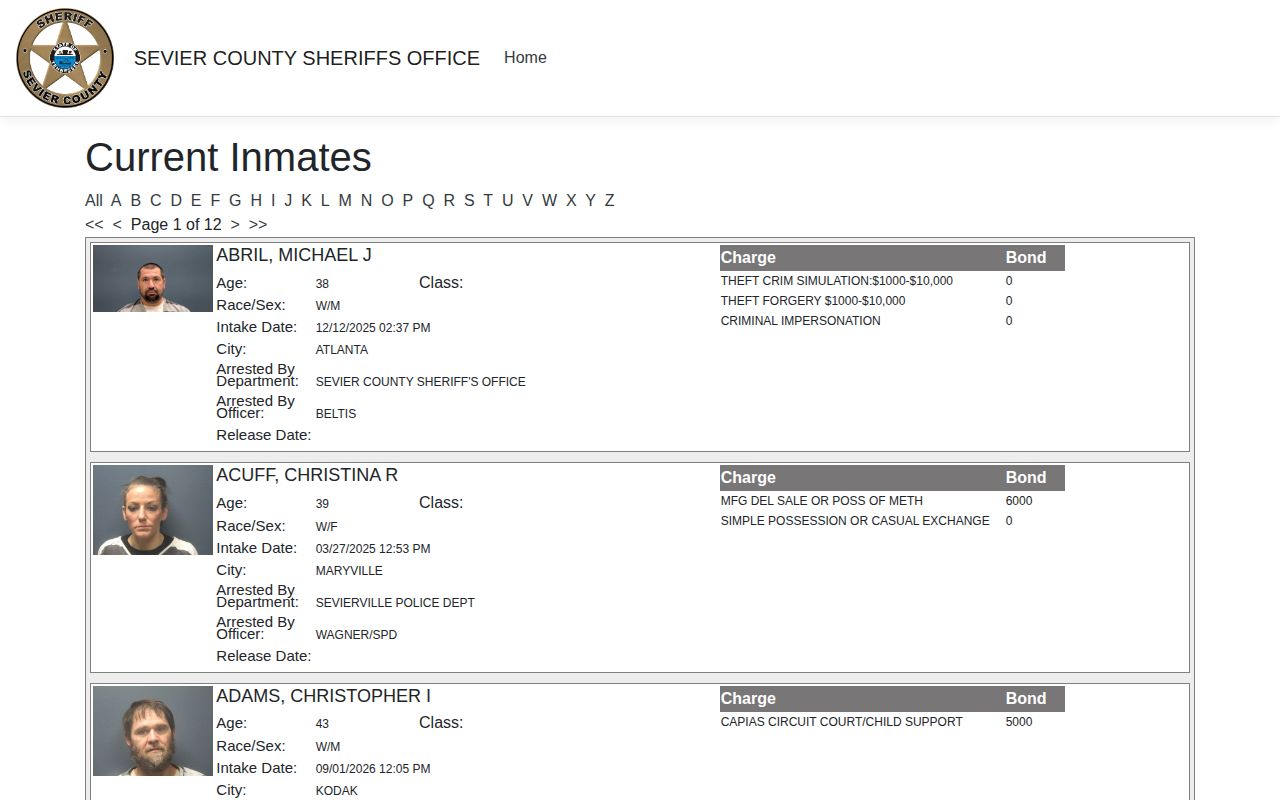
The roster is status-based. It complements the rolling same-day view rather than duplicating it.
A release can pull someone off the roster. The booking record still sits at the agency. Need ongoing status? The VINE Arrest Check page explains the Tennessee alert process. VINE can lag, may miss records, and does not report court results. Confirm urgent questions with the jail.
- Just booked
- May still be processing and absent online.
- In custody
- May appear in both the rolling feed and current roster.
- Released
- Can remain in the 24-hour activity view but leave the current roster.
- Transferred
- May require another county, TDOC, federal, or immigration locator.
Agencies Behind Today's Arrests
ISOMS keeps an arresting-department field on every entry. City police and other agency labels appear there, including immigration-related wording. A Sevierville Police arrest can show up in the county jail feed because the jail took the booking. Keep it labeled correctly. It is not a Sheriff's Office arrest.
Each record has its own keeper. The arresting department holds the incident narrative, county systems hold the booking image, and the clerk holds the court outcome. Those files update on their own schedules. An immigration-related label in a local entry does not prove current ICE custody or any immigration case outcome.
App Alerts Versus Arrest Records
The Sevier County Sheriff's TN app handles public-safety news. It also covers tips and reporting functions. Social accounts from the Sheriff can carry urgent notices too. Neither channel promises a full set of Sevier County booking photos or same-day arrest entries. Treat them as awareness tools, not replacements for ISOMS.
The roster and the feed still do the booking work. Emergencies belong on 911, a point the Sheriff's own online tip form makes as well. A social post can vanish or shrink to a summary. It will never stand in as a certified record of a Sevier arrest.
Confirm a Missing Sevier Arrest
A missing same-day entry calls for a simple fallback. Search the current roster using name variations. Then recheck the feed once intake processing finishes. Still nothing? Call the Sheriff's Office at 865-453-4668. For an older arrest, request the booking sheet, booking photograph, and intake or release record within a narrow date range.
The Records & Warrants page posts no booking-photo fee and promises no response time. Ask staff for the current public-records policy, inspection options, a copy estimate, and any exemption that applies. Tennessee law does not force a custodian to build a new compilation. Giving the person's name, inmate ID, date, and agency helps them find the existing arrest record fast.
Sevier County Sheriff's Office106 W. Bruce Street
Sevierville, TN 37862
865-453-4668
Arrested Does Not Mean Guilty
A same-day arrest record only shows the booking stage. Bond and release fields describe custody conditions. Those entries reflect where a person stands in jail processing, nothing more about the case itself.
For a case outcome, use the clerk's disposition rather than the arrest feed.
The Tennessee AOC directory lists both the Sevier General Sessions and Circuit clerks. Start with General Sessions. It covers a fresh misdemeanor, warrant, or felony preliminary matter. Some cases move forward. Those may land in Circuit Criminal Court. Ask which docket holds the case and whether a certified disposition is available.